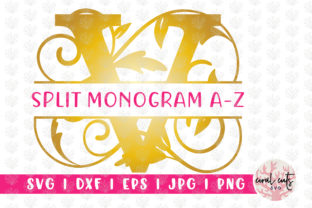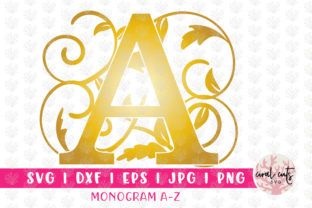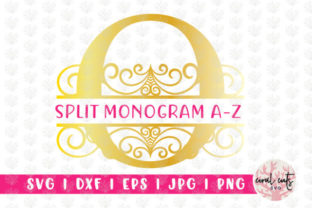
Floral Split Monogram Alphabets - A to Z: Maximizing Your Design Bundle
Elevating personalized merchandise or digital branding often comes down to the quality of your typography. The Floral Split Monogram Alphabets - A to Z collection offers a sophisticated solution for creators looking to add an organic, elegant touch to their projects. Unlike standard block lettering, these split monograms feature intricate botanical elements woven directly into the character structure, creating a seamless blend of text and illustration. This specific aesthetic is highly sought after for wedding stationery, custom apparel, and boutique branding because it conveys craftsmanship without requiring hours of manual vector drawing.
However, acquiring the bundle is only the first step. Many users encounter frustration not because the files are defective, but because they misunderstand the nature of the asset. To get the best results from this collection, it is vital to approach the files with a clear understanding of their technical limitations and proper applications. Avoiding common pitfalls will save you time, prevent wasted materials, and ensure your final output looks professional rather than amateurish.
The Most Critical Distinction: Artwork Versus Fonts
The single most common mistake buyers make with the Floral Split Monogram Alphabets - A to Z is attempting to install them as system fonts. Please note: This is not a font file that can be installed on your computer. There are no .TTF or .OTF files included in this bundle. Treating these assets like a standard typeface will lead to immediate confusion when they fail to appear in your word processor or design software’s font dropdown menu.
These files are individual graphic elements, not keystroke-mapped typography. Each letter from A to Z is a standalone artwork file. While this requires a slightly different workflow than typing out a name, it offers superior design flexibility. Because each letter is a discrete object, you can manipulate the floral elements, adjust colors independently, and resize specific characters without distorting the overall composition. Embracing this distinction allows you to leverage the true power of the bundle rather than fighting against its intended format.
Selecting the Correct File Format for Your Workflow
This bundle includes five distinct file types, and using the wrong one for your specific machine or software is a frequent source of poor results. Efficiency depends on matching the format to your end goal.
For Cutting Machines: SVG and DXF
If you are using Cricut Design Space or Silhouette Designer Edition, the SVG file is your primary resource. SVGs retain vector data, allowing for infinite scaling without pixelation and preserving separate layers for colors and cut lines. A common error occurs when users with basic Silhouette accounts attempt to open SVGs, only to find they cannot. In this case, use the DXF files. DXFs are universally compatible with cutting machines but may sometimes require manual grouping or layer adjustment upon import. Always verify your software version before starting a cut project to avoid mid-production delays.
For Professional Editing: EPS
Designers working in CorelDraw or Adobe Illustrator should utilize the EPS files. These are fully editable vectors that allow you to modify anchor points, change floral details, or merge letters into custom ligatures. Relying on PNG or JPG formats for professional print work is a missed opportunity; EPS ensures your large-format banners or signage remain crisp at any size.
For Digital and Print Projects: PNG and JPEG
Not every project requires cutting or vector editing. For sublimation, iron-on transfers, or digital invitations, the raster formats are ideal. Use the PNG files when you need a transparent background to overlay the monogram onto colored textures or photographs. The JPEG files are provided at high-quality 300 DPI, making them suitable for direct printing. A practical warning here: never upscale a JPEG beyond its original dimensions for print. If you need a larger size, revert to the EPS or SVG source to maintain sharp edges on those delicate floral splits.
Avoiding Color and Layering Pitfalls
Because these are floral split designs, color management is more complex than standard text. A frequent oversight is assuming the preview image represents the only available colorway. The bundle provides ready-to-use color variations, but the real value lies in customization. When importing SVGs into cutting software, check that the layers are organized logically. Sometimes, import settings can flatten layers or merge distinct color regions. Taking thirty seconds to verify layer separation before sending a job to the cutter prevents wasted vinyl and misaligned multi-color projects.
For those using the PNG clip-art versions, be mindful of contrast. The intricate floral details within the split monogram can get lost if placed against a busy background. Test your composition at actual print size before finalizing. What looks detailed on a 27-inch monitor may become muddy when printed on a 4x6 card. Utilizing the transparent PNG allows you to create a solid backing shape behind the monogram if necessary, ensuring readability while maintaining the decorative aesthetic.
Verifying Compatibility Before Purchase
Before adding Floral Split Monogram Alphabets - A to Z to your cart, conduct a quick audit of your current toolkit. Do you have the necessary software to open EPS files if you plan to edit vectors? Does your cutting machine support SVG, or will you be reliant on DXF? Are you prepared to work with individual image files rather than typing text?
Additionally, consider the style match for your brand. Split monograms are inherently ornate. If your project demands minimalist, corporate geometry, this floral style might clash with your existing visual identity. Reviewing the full alphabet preview is essential; some letters naturally accommodate floral splits better than others due to their stroke structure. Ensuring the specific characters you need most (such as initials for upcoming client orders) render beautifully in this style prevents buyer’s remorse.
Optimizing Output Quality
Finally, remember that file inclusion does not guarantee production success. The 300 DPI JPEGs are excellent for standard transfers, but fabric texture matters. Highly textured linens may obscure the fine lines of the floral split. In such cases, using the SVG to cut heat transfer vinyl often yields a sharper result than printing directly onto the fabric. Similarly, when using the EPS files for laser engraving, you may need to simplify the vector paths to prevent scorching on delicate woods.
By treating the Floral Split Monogram Alphabets - A to Z as a versatile graphic resource rather than a simple font, you unlock its full potential. Understanding the specific role of each file type—from the cutter-ready SVG to the editable EPS—transforms this bundle from a pretty download into a reliable production asset. Take the time to learn the workflow, respect the file formats, and your monogram projects will consistently achieve that polished, professional finish that clients and audiences appreciate.